

Download Archivarius 3000 – File Search, Email Retrieval, Archive Indexing
Overview
Archivarius 3000 is a specialized utility designed to streamline the process of locating files and emails across multiple storage environments. Its primary function is to help users efficiently retrieve documents by keyword, regardless of whether the content resides on a local PC, within a networked drive, or stored on physical media such as CD or DVD. This capability makes it a valuable tool for individuals and professionals managing large volumes of digital data. The app is particularly useful in scenarios where time is critical, and the need to access specific files quickly outweighs the burden of manual browsing through folders or archives.
Target users include office workers, researchers, IT administrators, and anyone who regularly handles large datasets or archived content. The application addresses a common pain point: the inefficiency of traditional file search methods, especially when dealing with compressed archives or scattered email threads. By centralizing search operations across various locations, Archivarius 3000 reduces the time spent on document retrieval, thereby enhancing overall productivity. While the developer did not provide additional background information, the app’s functionality suggests a focus on technical efficiency and user-centric design.
Real-world use cases include locating a specific invoice buried in a ZIP archive, retrieving an old email from a Thunderbird profile, or finding a document across multiple networked workstations. In the broader app ecosystem, Archivarius 3000 fills a niche for advanced search tools, offering a more robust alternative to built-in operating system search functions. Its ability to index and search across diverse media types underscores its relevance in environments where data is distributed and often stored in compressed formats.
Key Features & Functionality
Archivarius 3000 delivers a suite of features tailored for efficient digital discovery. The application’s core strength lies in its ability to index documents across multiple locations, including local drives, network shares, and external storage devices. Once indexing is configured, users can perform rapid keyword searches, retrieving relevant files in seconds. This functionality is especially beneficial for users managing large or disorganized data repositories.
- Easy Search Configuration: A guided setup wizard simplifies the process of defining search parameters. Users can select specific directories, file types, or storage devices without requiring technical expertise. This ensures a low barrier to entry for non-technical users.
- Comprehensive Indexing: The app automatically indexes all documents in designated locations, creating a searchable database. This indexing occurs in the background, minimizing disruption to ongoing workflows.
- Support for Compressed Files: Archivarius 3000 can search inside ZIP, ACE, and RAR archives without requiring extraction. This eliminates the need to decompress files manually, saving time and reducing storage overhead.
- Email Client Integration: The application integrates with popular email clients such as Microsoft Outlook, Mozilla Thunderbird, and The Bat!. Users can search both file attachments and email content using the same interface.
- Multi-Location Search Capability: Searches are not limited to a single device. Users can simultaneously scan local systems, network drives, and external media, enabling cross-platform retrieval of data.
For example, a project manager could use Archivarius 3000 to locate a client contract stored in a ZIP file on a network drive, while also checking for related email correspondence in Thunderbird. The app’s ability to unify these disparate sources into a single search query enhances workflow continuity and reduces context switching.
Interface, UX & Performance
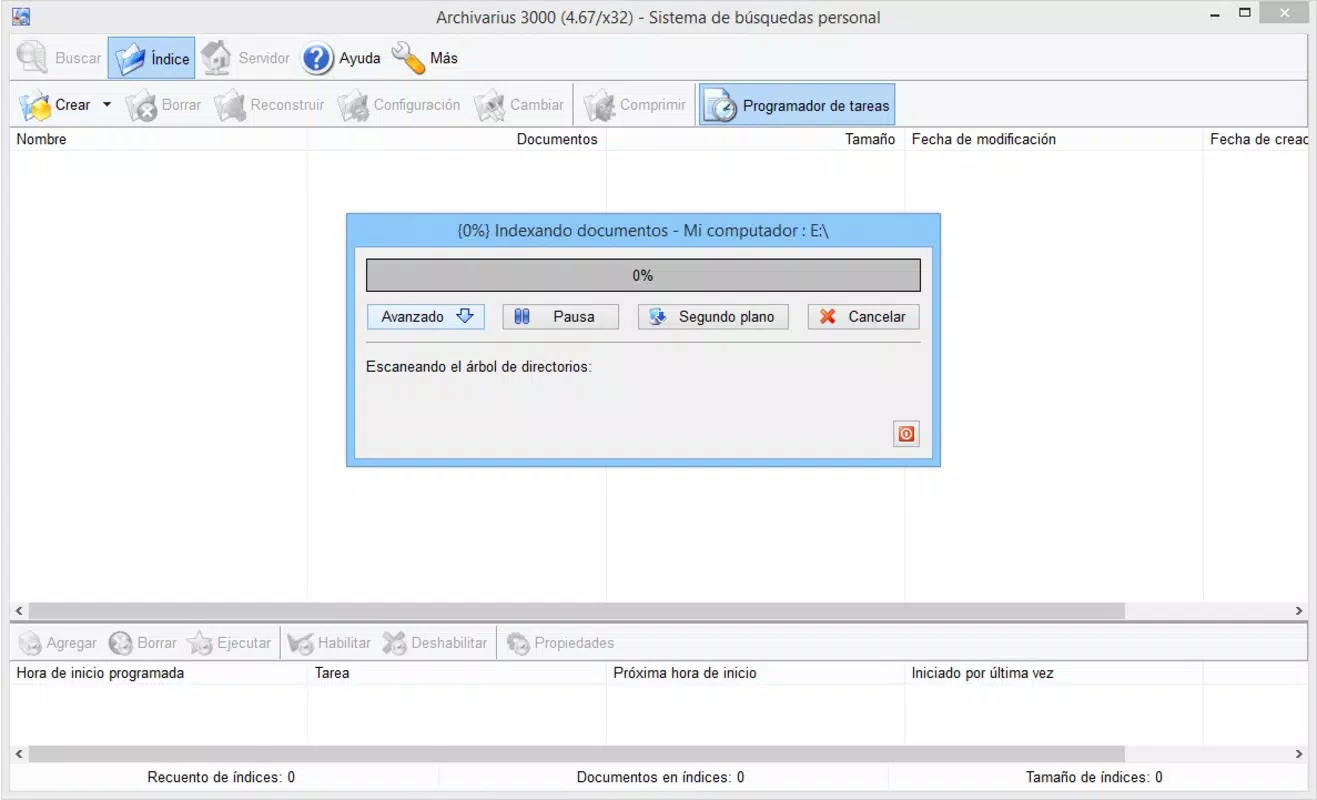
The user interface of Archivarius 3000 is designed with clarity and functionality in mind. It features a clean layout with clearly labeled sections for search input, location selection, and result display. Navigation is straightforward, relying on a step-by-step wizard for initial setup and a consistent menu structure for ongoing use. The visual style emphasizes usability over ornamentation, ensuring that users can focus on their search tasks without distraction.
Search results are presented in a structured format, listing file paths, metadata, and preview snippets where available. This allows users to quickly assess relevance and access the desired document with minimal clicks. The app’s responsiveness is consistent across different device categories, though the developer did not list formal performance metrics. Although the developer did not list formal performance metrics, the indexing process appears to be optimized to run efficiently in the background, minimizing impact on system resources.
Stability is maintained through robust error handling and session recovery. The application handles interruptions gracefully, ensuring that indexing processes are not lost due to system shutdowns or network disconnections. Users can resume searches or indexing tasks without starting over, which enhances reliability in long-term usage scenarios.
Platform Compatibility & Technical Requirements
Archivarius 3000 is available for the Windows operating system. The app requires a compatible version of Windows, though specific minimum OS requirements were not listed by the developer. The application’s file size is 14.2 MB, making it a lightweight download suitable for systems with limited storage capacity. Installation is straightforward, with a standard setup process that does not require advanced configuration.
Although the developer did not specify minimum OS requirements, the app’s lightweight footprint suggests compatibility with a wide range of Windows versions. The application is designed to operate on desktop environments rather than mobile platforms, as indicated by its functionality and file size. Users should ensure their system meets standard Windows requirements for running utility software.
Pros and Cons
Pros
- Efficient keyword-based search across multiple storage locations
- Supports direct searching within ZIP, RAR, and ACE archives
- Seamless integration with major email clients
- User-friendly setup wizard for non-technical users
- Lightweight file size (14.2 MB)
Cons
- Platform availability limited to Windows only
- Specific system requirements not disclosed
- No mobile or cloud-based functionality mentioned
- Developer did not provide update frequency or support details
- Compatibility with newer Windows versions not confirmed
FAQ
Is Archivarius 3000 available for mobile devices?
Based on the available information, Archivarius 3000 is designed for desktop use on Windows systems. There is no indication of a mobile version for Android or iOS.
Can I search inside ZIP files without extracting them?
Yes. Archivarius 3000 supports direct search within compressed files such as ZIP, RAR, and ACE formats, allowing users to locate content without manual extraction.
Does the app work with email clients other than Outlook?
Yes. The application integrates with popular email clients including Mozilla Thunderbird and The Bat!, enabling users to search both files and email content through a unified interface.
How often does Archivarius 3000 update its index?
The developer did not specify update frequency or indexing schedules. Users are advised to manually trigger re-indexing after significant changes to their file structure.
Is Archivarius 3000 secure to install and use?
While no security vulnerabilities were reported in the provided data, users should always download the app from official sources and ensure their system has updated antivirus protection.
Final Thoughts + CTA
Archivarius 3000 stands out as a focused, efficient tool for users burdened by fragmented digital content. Its ability to search across local, networked, and external storage—while directly accessing compressed files and email archives—makes it a powerful asset for professionals who value speed and precision. The intuitive setup and clean interface lower the learning curve, making it accessible even to those without technical expertise.
While its Windows-only availability and lack of mobile support limit its reach, the app delivers strong value in desktop environments where file and email management are critical. For users managing large datasets or dealing with legacy archives, Archivarius 3000 offers a reliable solution to reclaim lost time and improve workflow efficiency.
Download Archivarius 3000 now


